
A barograph for Arbutus
During some winter days, I played with my Arduino board because I had the project to design my own barograph. It would replace the barometer we have onboard. This barometer we always forget to check ... That's a mistake, with the analyse of the atmospheric pressure, we understand better what's going on outside. For example, 2 days ago, we were in a high pressure system, sunny, blue sky and almost no wind. But suddently, our new barograph rings because the pressure was falling. 3 hours latter, big clouds, the wind started to blow and now we have bad weather ... This was the arrival of a low pressure system ... Now we are just impatient that the pressure gets higher !
With a barometer, you can also sail on the ledge of a high pressure system if you found the narrow band where there is wind. When you have found this narrow band (I mean the wind), write down the pressure and try to sail within the constant pressure band ... you are supposed to keep the wind by this way. I have never tried but I read it happens like that if you want to sail arround a high pressure system ...
Whatever, I decided a long time ago to make a barograph for Arbutus when I learned Arduino.
What is Arduino ? The better is to have a look on their website here.
With Arduino, it's easy to plug some sensors, to read a NMEA flow, to plug a smal screen, to put some buttons, to measure a voltage, a current, a resistance, etc. ... Behind Arduino, there is a real community so it's easy to find some examplew, some forums, some Arduino friends. A requirement to play with Arduino is to program a little bit with C language. No pointer or tricky concept to know, but simply how to create a function, some loops, etc. ...
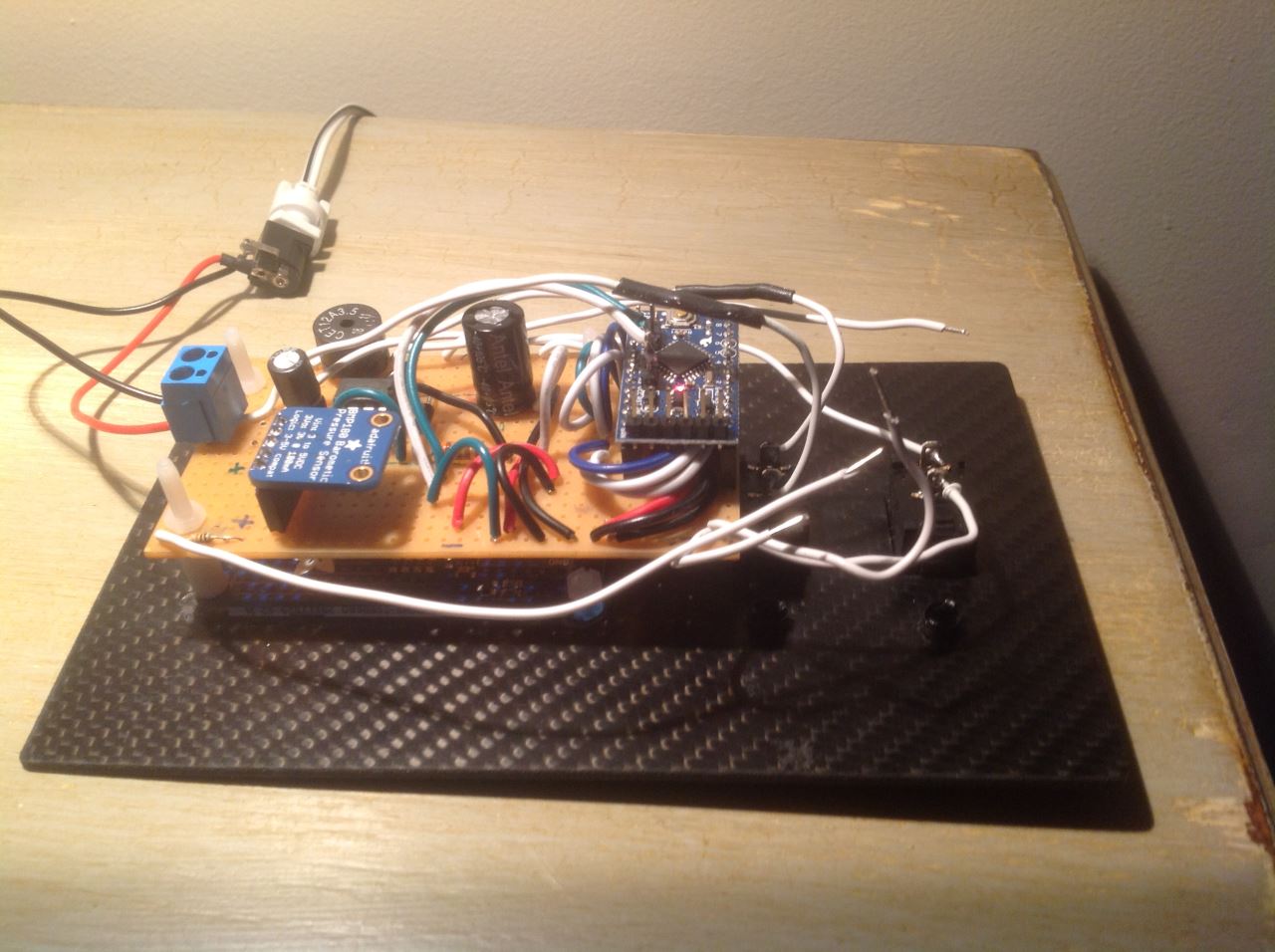
For the barograph, I used an arduino Uno, a TFT screen, an accurate pressure sensor BMP085, a push button, a buzzer, and an proto shield.
Arduino Uno : 19.50 Euros
TFT Screen : 22.70 Euros
BMP085 : 9.20 Euros
Proto Shield Arduino Mega Rev 3 : 6.3 Euros
It is necessary to install a voltage regulator to transform the battery tension to 7V in order to supply energy for the barograph.
Total : arround 60 euros without the shipment fee
If you can get all of these equipements, you should have the same configuration than me. So I drawn a schema that connects the different modules all together :
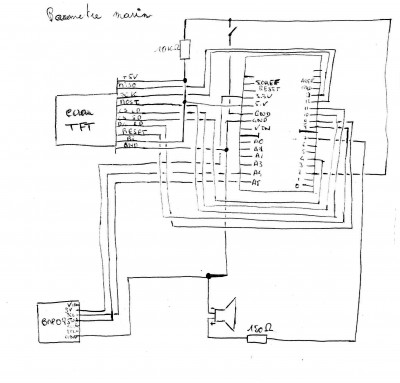 For the resistance, feel free to suggest others values ...
How to power the barograph ? I used a voltage regulator that drop down the 12V onboard to 7V. Also, it is important to say that when the barograph is on, there is not interference with my others electronics (SSB radio, hifi, etc. ...) installed on board of Arbutus.
So now, how to ask Arduino to say mumy and daddy ? With the C code !
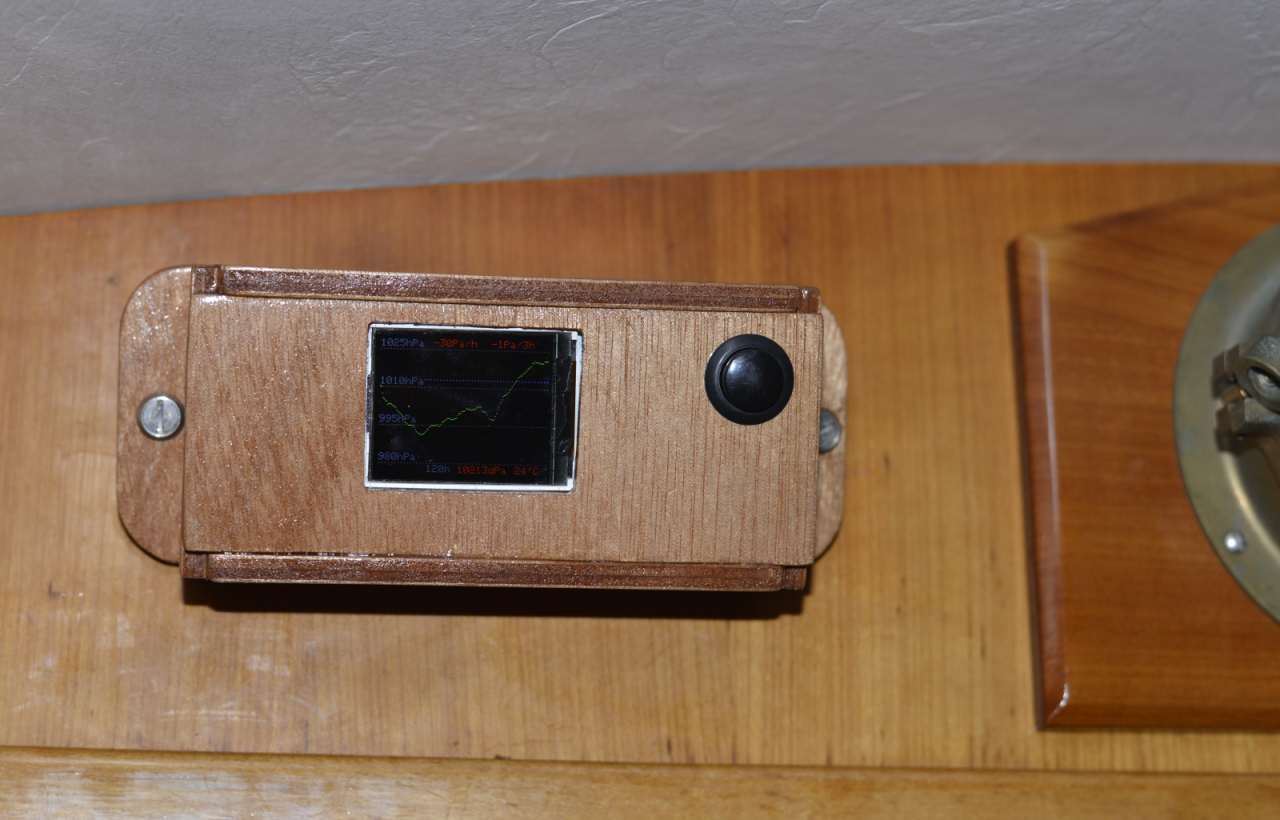
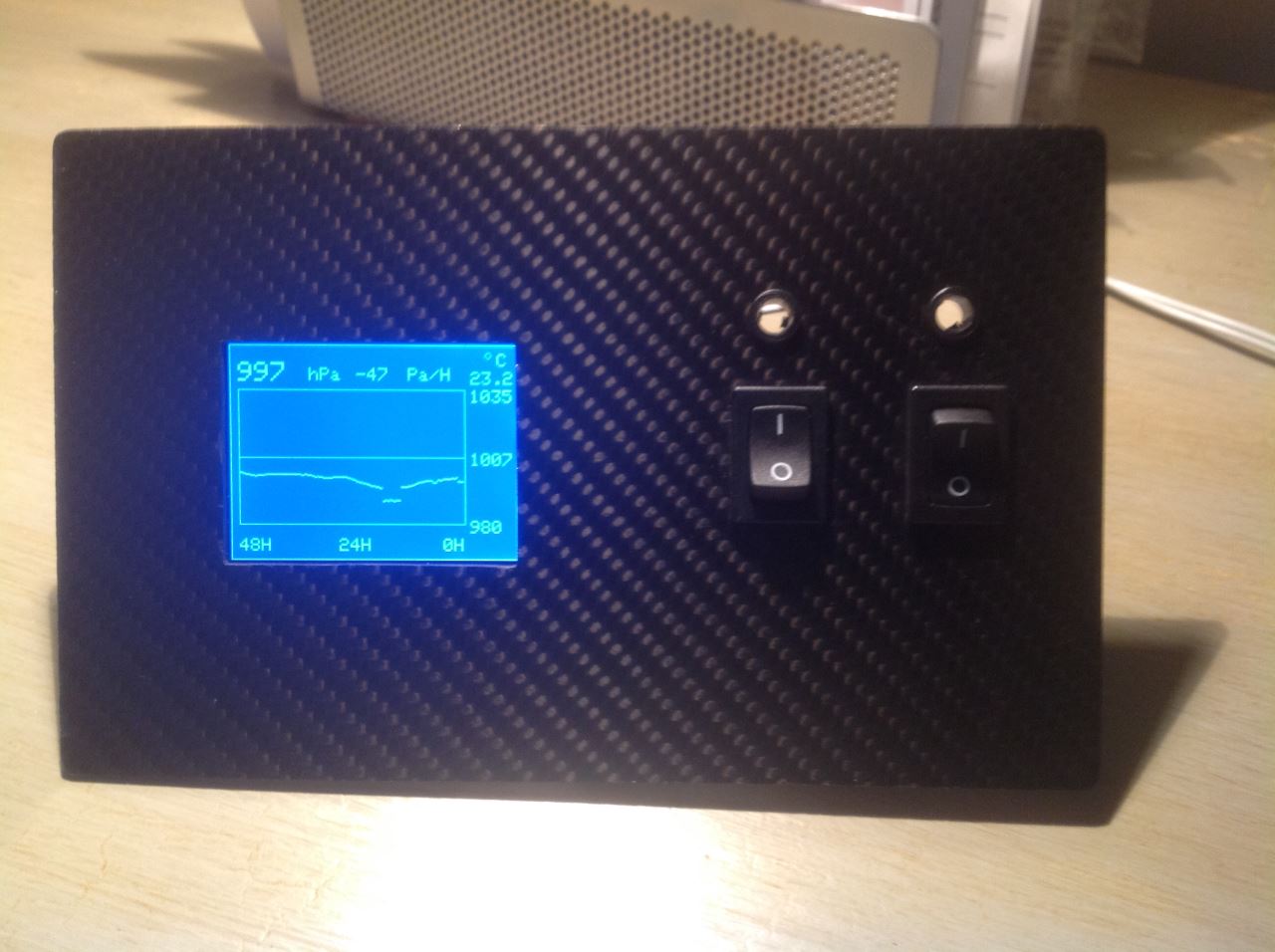
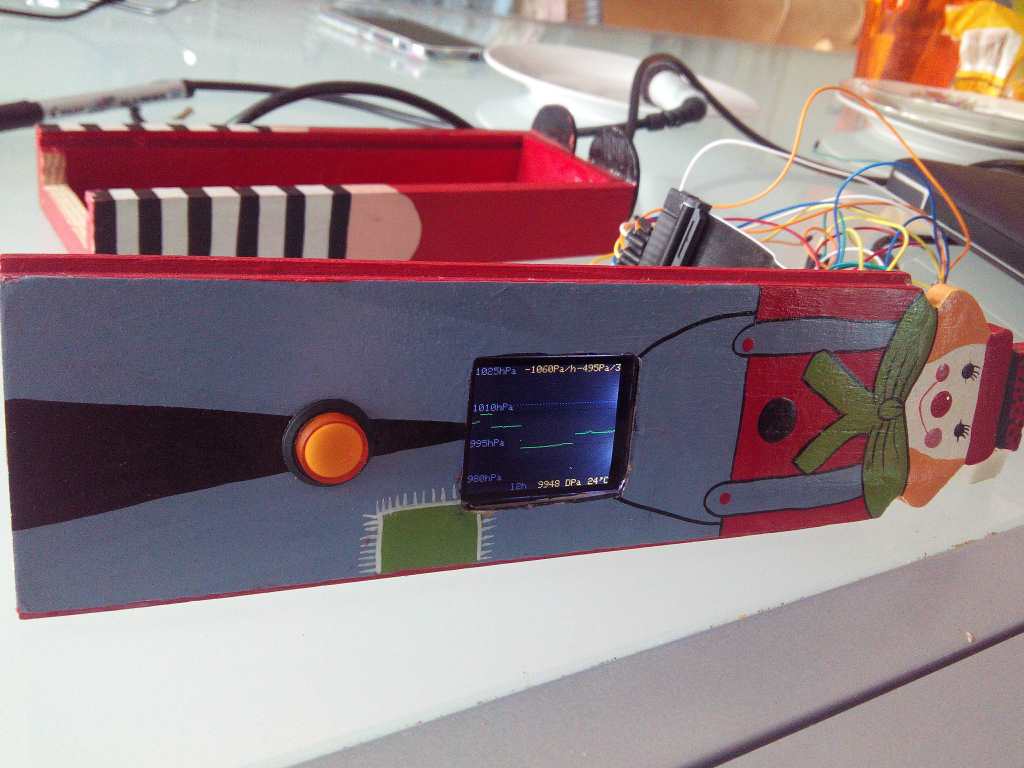
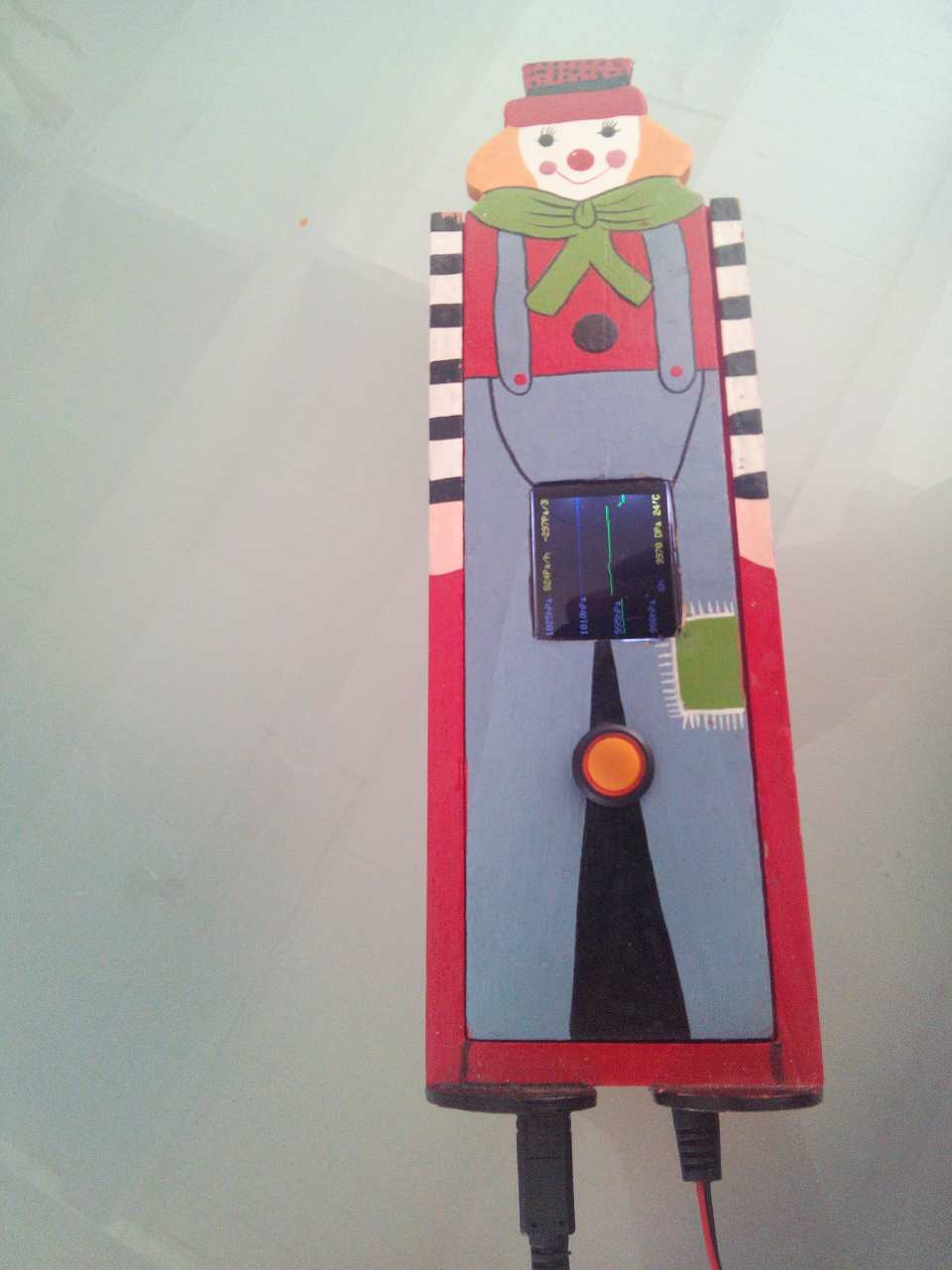
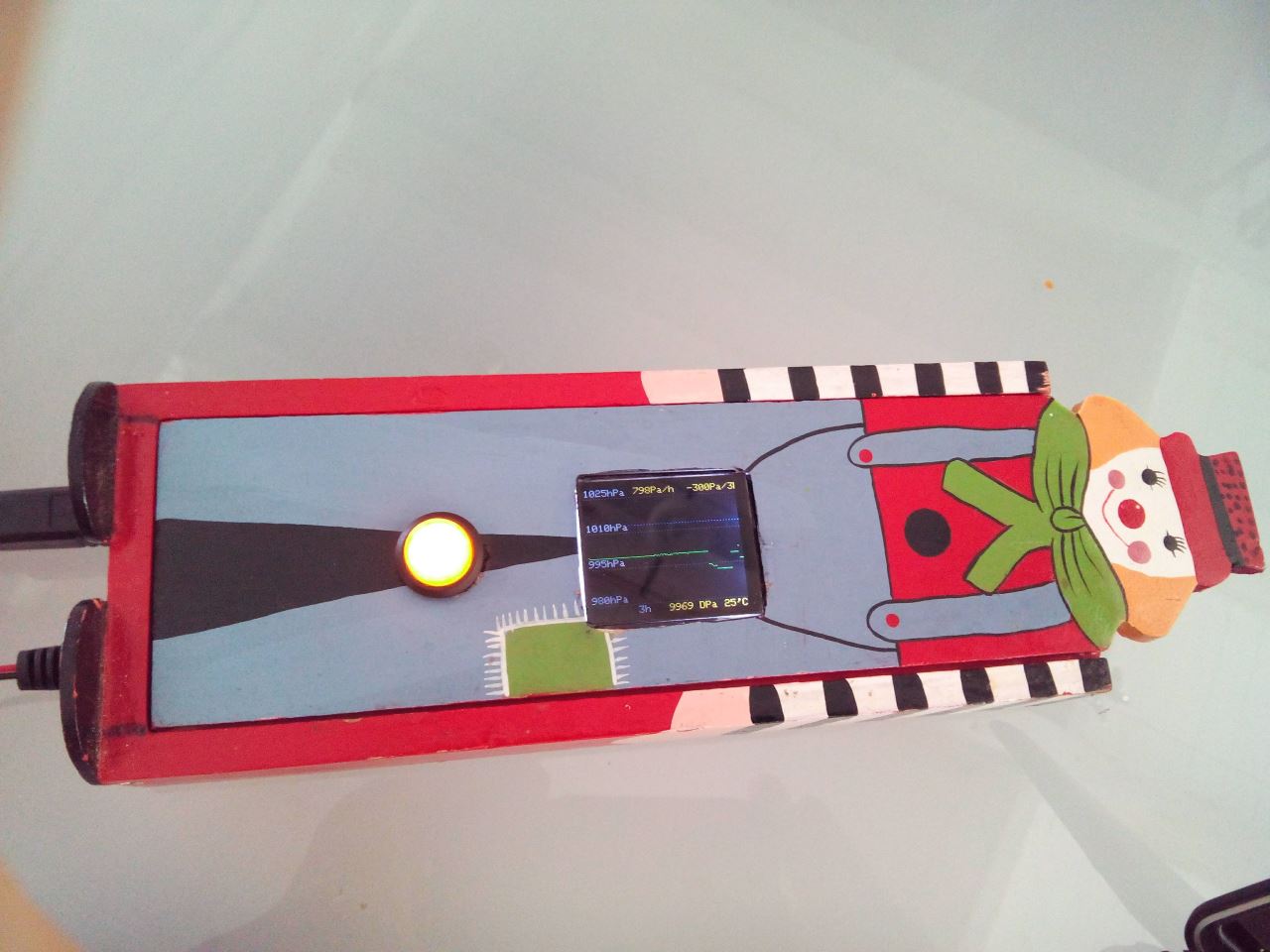
Our barograph is able to display with a graph the pressure history on different time scale : for 3, 6, 12, 24, 48, 72, 96 and 120 hours. And it displaies the realtime trends on 1 hour and 3 hours, the realtime pressure, and the temperature.
For the resistance, feel free to suggest others values ...
How to power the barograph ? I used a voltage regulator that drop down the 12V onboard to 7V. Also, it is important to say that when the barograph is on, there is not interference with my others electronics (SSB radio, hifi, etc. ...) installed on board of Arbutus.
So now, how to ask Arduino to say mumy and daddy ? With the C code !
Our barograph is able to display with a graph the pressure history on different time scale : for 3, 6, 12, 24, 48, 72, 96 and 120 hours. And it displaies the realtime trends on 1 hour and 3 hours, the realtime pressure, and the temperature.
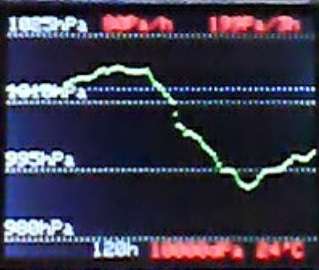 It rings when the pressure is falling quicker than 140 Pa/h. To avoid the barograph rings too often, after the sailor aknowledged the alarm, the barograph won't ring for the next 3 hours.
My buzzer has its resonnace frequency at 2500Hz so it's configured to ring at this frequency. It makes the buzzer louder.
For those who wants to modify the C code, they would be pleased to share their modifications that would improve the code.
Especially, the improvements that would save some program memory because right now, the program uses almost all the memory of Arduino. It's really difficult to add others code lines. The code has to be optimized if you want to add some new code lines ...
To be able to use the screen, I had to update with the beta release 1.5.5 the arduino editor otherwise I couldn't use the screen ...
You can get the last release of the C code of this barograph on GitHub.
In the program, I don't use a static array of pressure to save memory. When I read a new pressure, I append it in a file that contains the history of pressure. When I need to draw the history for the different time scale, I each time read the history file. Even to update the trend I read in this file.
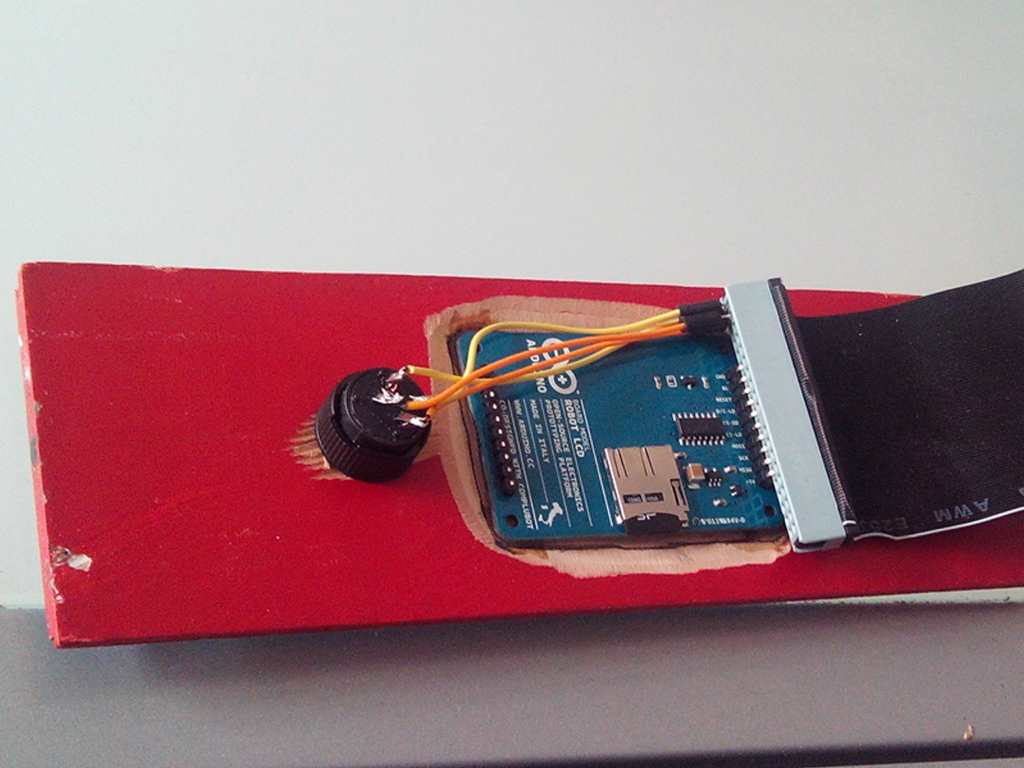
This file is physically in a sd card you have to insert on the back of the screen. I use for mine a 2Gbyte memory card. Take the cheapest one, it will be fine.
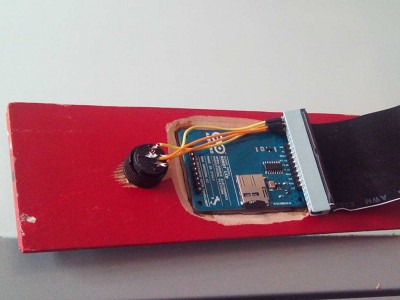
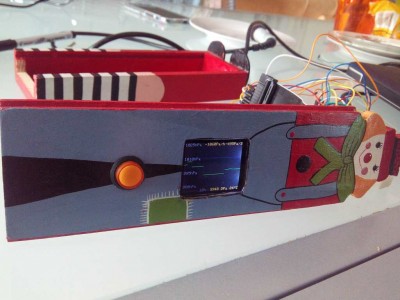
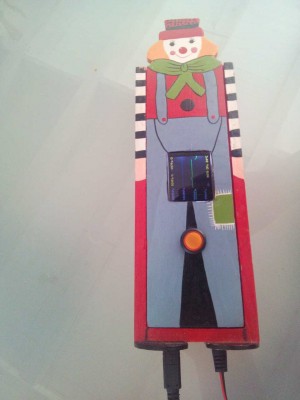
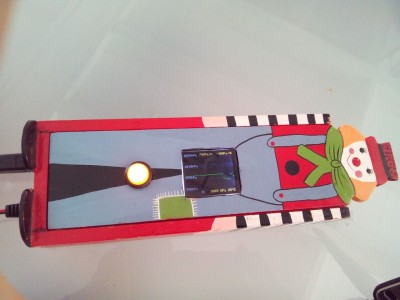
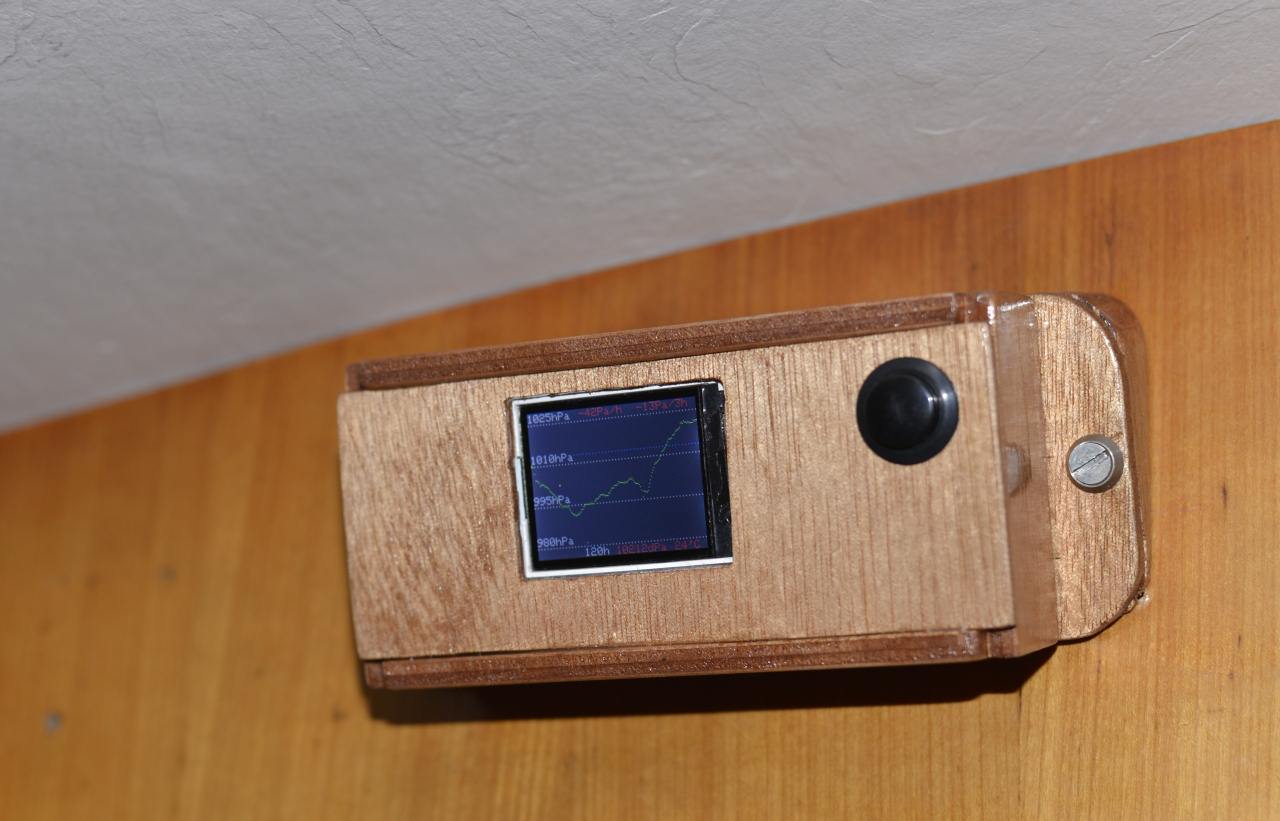
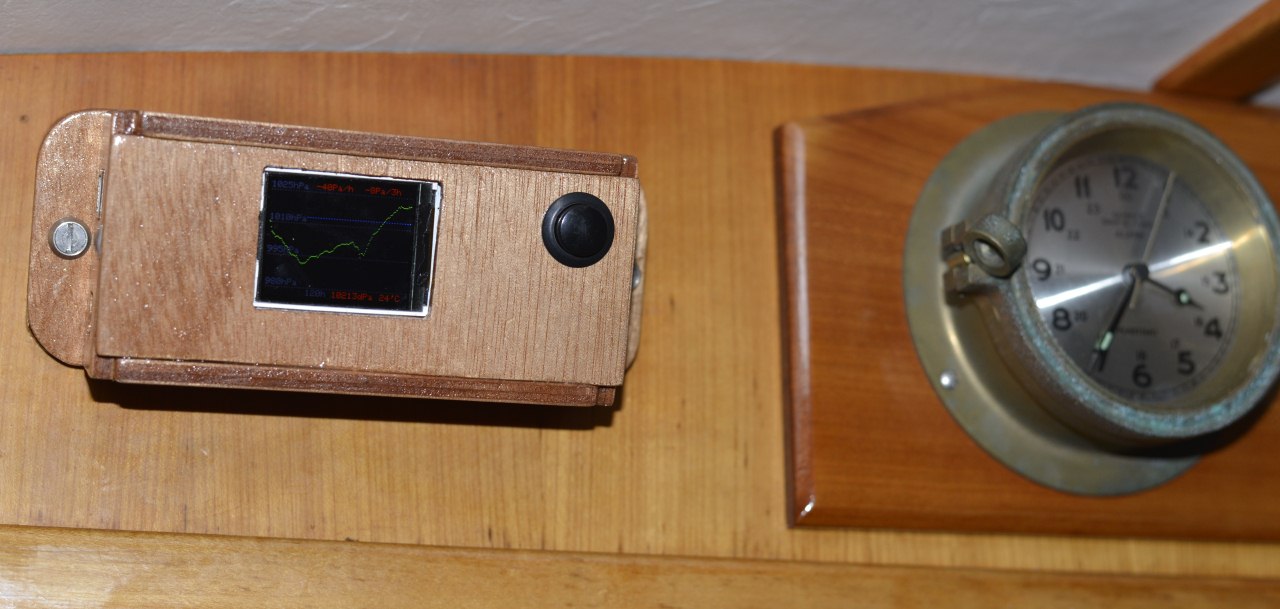
Here are the first pictures I took this evening :
It rings when the pressure is falling quicker than 140 Pa/h. To avoid the barograph rings too often, after the sailor aknowledged the alarm, the barograph won't ring for the next 3 hours.
My buzzer has its resonnace frequency at 2500Hz so it's configured to ring at this frequency. It makes the buzzer louder.
For those who wants to modify the C code, they would be pleased to share their modifications that would improve the code.
Especially, the improvements that would save some program memory because right now, the program uses almost all the memory of Arduino. It's really difficult to add others code lines. The code has to be optimized if you want to add some new code lines ...
To be able to use the screen, I had to update with the beta release 1.5.5 the arduino editor otherwise I couldn't use the screen ...
You can get the last release of the C code of this barograph on GitHub.
In the program, I don't use a static array of pressure to save memory. When I read a new pressure, I append it in a file that contains the history of pressure. When I need to draw the history for the different time scale, I each time read the history file. Even to update the trend I read in this file.
This file is physically in a sd card you have to insert on the back of the screen. I use for mine a 2Gbyte memory card. Take the cheapest one, it will be fine.
Here are the first pictures I took this evening :
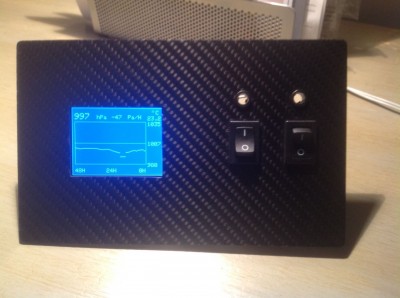
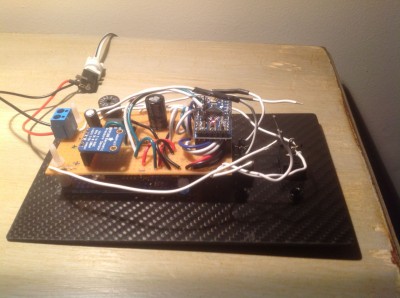
 Congrats at those who realized it !
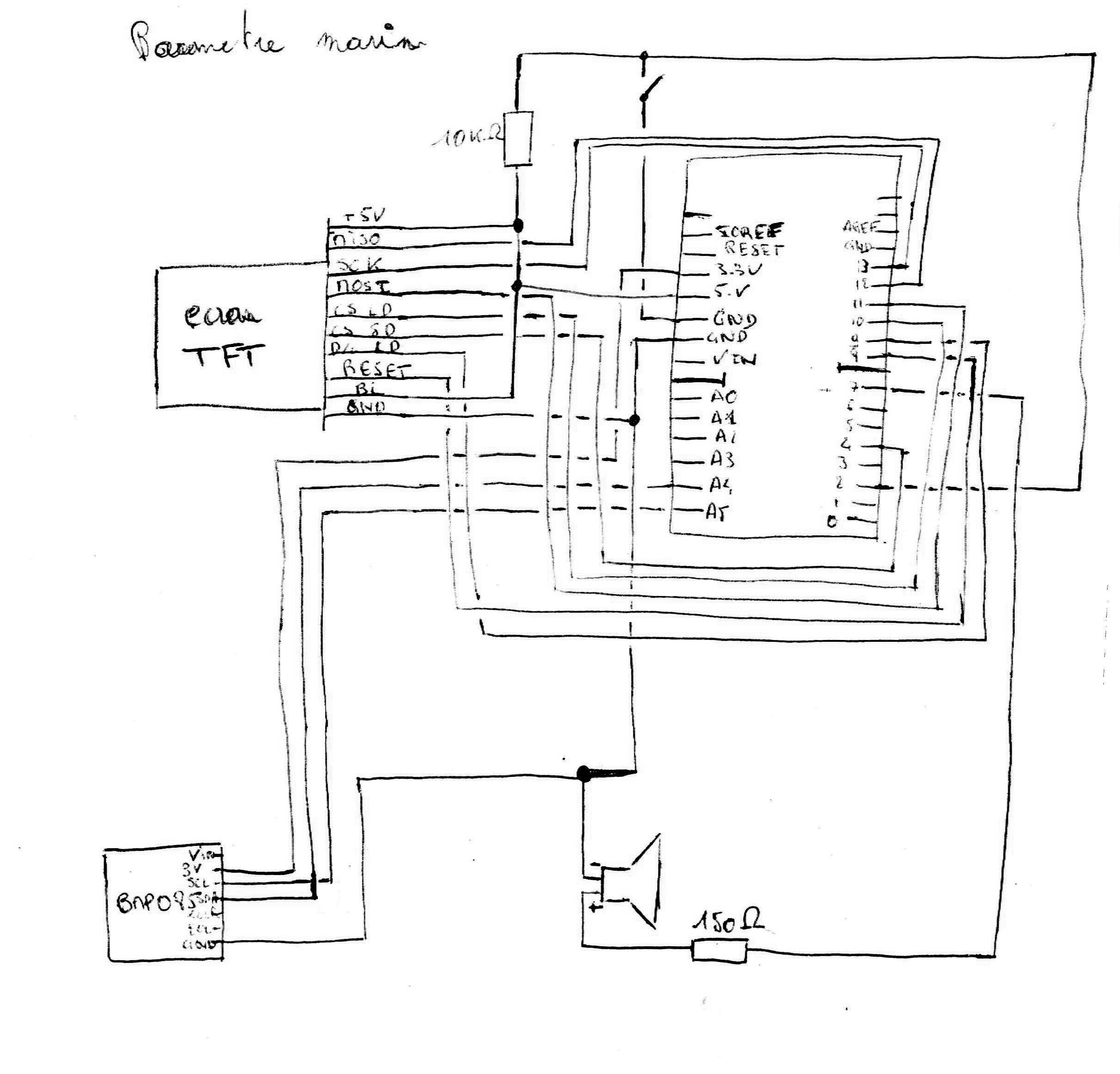 For the resistance, feel free to suggest others values ...
How to power the barograph ? I used a voltage regulator that drop down the 12V onboard to 7V. Also, it is important to say that when the barograph is on, there is not interference with my others electronics (SSB radio, hifi, etc. ...) installed on board of Arbutus.
So now, how to ask Arduino to say mumy and daddy ? With the C code !
Our barograph is able to display with a graph the pressure history on different time scale : for 3, 6, 12, 24, 48, 72, 96 and 120 hours. And it displaies the realtime trends on 1 hour and 3 hours, the realtime pressure, and the temperature.
It rings when the pressure is falling quicker than 140 Pa/h. To avoid the barograph rings too often, after the sailor aknowledged the alarm, the barograph won't ring for the next 3 hours.
My buzzer has its resonnace frequency at 2500Hz so it's configured to ring at this frequency. It makes the buzzer louder.
For those who wants to modify the C code, they would be pleased to share their modifications that would improve the code.
Especially, the improvements that would save some program memory because right now, the program uses almost all the memory of Arduino. It's really difficult to add others code lines. The code has to be optimized if you want to add some new code lines ...
To be able to use the screen, I had to update with the beta release 1.5.5 the arduino editor otherwise I couldn't use the screen ...
You can get the last release of the C code of this barograph on GitHub.
In the program, I don't use a static array of pressure to save memory. When I read a new pressure, I append it in a file that contains the history of pressure. When I need to draw the history for the different time scale, I each time read the history file. Even to update the trend I read in this file.
This file is physically in a sd card you have to insert on the back of the screen. I use for mine a 2Gbyte memory card. Take the cheapest one, it will be fine.
Here are the first pictures I took this evening :
For the resistance, feel free to suggest others values ...
How to power the barograph ? I used a voltage regulator that drop down the 12V onboard to 7V. Also, it is important to say that when the barograph is on, there is not interference with my others electronics (SSB radio, hifi, etc. ...) installed on board of Arbutus.
So now, how to ask Arduino to say mumy and daddy ? With the C code !
Our barograph is able to display with a graph the pressure history on different time scale : for 3, 6, 12, 24, 48, 72, 96 and 120 hours. And it displaies the realtime trends on 1 hour and 3 hours, the realtime pressure, and the temperature.
It rings when the pressure is falling quicker than 140 Pa/h. To avoid the barograph rings too often, after the sailor aknowledged the alarm, the barograph won't ring for the next 3 hours.
My buzzer has its resonnace frequency at 2500Hz so it's configured to ring at this frequency. It makes the buzzer louder.
For those who wants to modify the C code, they would be pleased to share their modifications that would improve the code.
Especially, the improvements that would save some program memory because right now, the program uses almost all the memory of Arduino. It's really difficult to add others code lines. The code has to be optimized if you want to add some new code lines ...
To be able to use the screen, I had to update with the beta release 1.5.5 the arduino editor otherwise I couldn't use the screen ...
You can get the last release of the C code of this barograph on GitHub.
In the program, I don't use a static array of pressure to save memory. When I read a new pressure, I append it in a file that contains the history of pressure. When I need to draw the history for the different time scale, I each time read the history file. Even to update the trend I read in this file.
This file is physically in a sd card you have to insert on the back of the screen. I use for mine a 2Gbyte memory card. Take the cheapest one, it will be fine.
Here are the first pictures I took this evening :
 Congrats at those who realized it !
Paul wrote about these same days, in French, from his side of the boat. Read his account →
Your messages
Original comments, kept as they were.